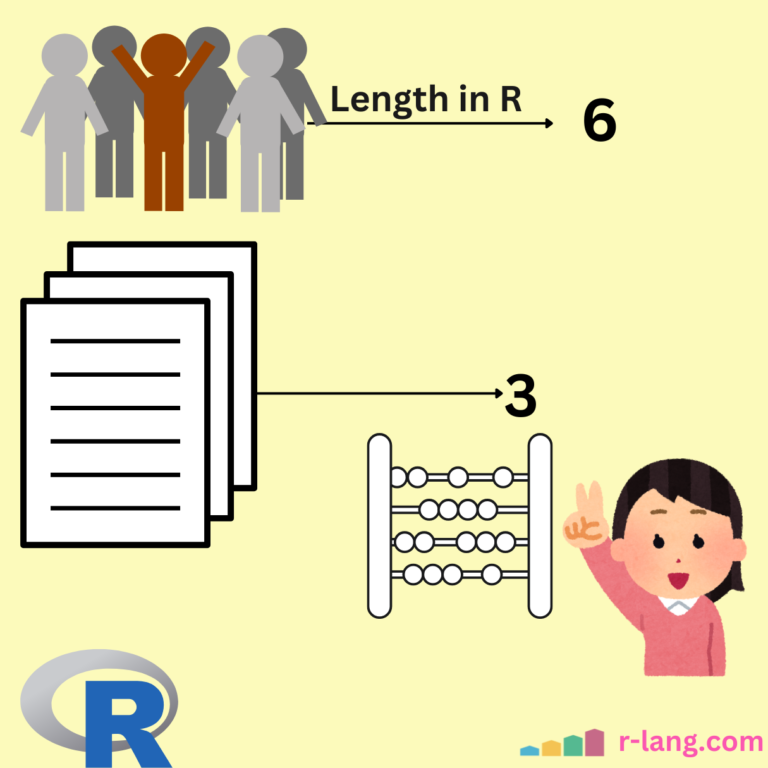
The length() function sets or gets the length of vectors or any other R object.

vec <- 1:5

cat("The length of vector is:", length(vec), "\n")

# Output: The length of vector is: 5
If you apply the length() function on a vector, it will return the number of elements of the vector. For empty vectors, it returns 0. Most non-vector objects return 1, like Functions/Objects.
Syntax
length(obj)Parameters
| obj (required) | It accepts an object that can be either a vector, factor, list, or other object. |
Setting the length
You can truncate or extend an object by assigning a new length.
If you extend the length, it will add NAs to adjust to the new length.
x <- 1:5

length(x) <- 7

print(x)

# Output: [1] 1 2 3 4 5 NA NA
You can also truncate the length, which will shorten the vector.
x <- 1:5

length(x) <- 3

print(x)

# Output: [1] 1 2 3
List
If I have a list with three elements, length() will return three, even if those elements are vectors, because each element in the list counts as one, regardless of its individual length. It counts the number of top-level elements.
If I have a list with only one vector, it will return 1 as output, even if that specific vector has four elements.
Check out the figure below.

main_list <- list(c(1, 2, 3, 4))

cat("The length of list is:", length(main_list), "\n")

# Output: The length of list is: 1
From the output, you can see that we did not get the length of each list element. Instead, it returns the number of entries on our list.

To get the length of a single list element, use this code:
main_list <- list(c(1, 2, 3, 4))

cat("The length of single list element is:", length(main_list[[1]]), "\n")

# Output: The length of single list element is: 4
Let’s define a list with multiple elements (vectors) and find its length.
main_list <- list(c(1, 2, 3, 4), c(5, 6, 7, 8), c(9, 10, 11, 12))

cat("The length of list is:", length(main_list), "\n")

# Output: The length of list is: 3
The list contains 3 vectors, that’s why it returns 3.
Matrix
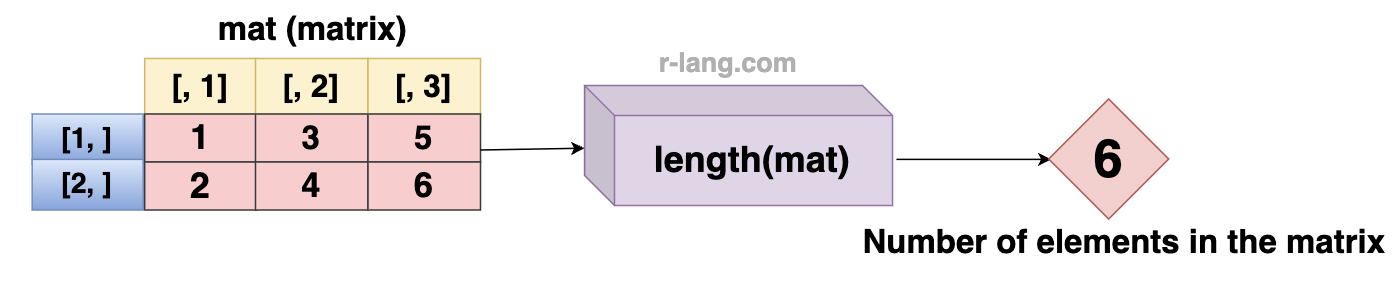
If you pass the “matrix” to the length() function, it returns total elements (rows × columns). For proper analysis, use nrow and ncol() methods.
mat <- matrix(1:6, nrow = 2, ncol = 3)

length(mat) # 6 (2 rows × 3 columns)
Array
If you want to find out the total number of elements across all the dimensions of an array, you can use the length() function.
arr <- array(1:24, dim = c(2, 3, 4))

length(arr) # 24 (2 × 3 × 4)
Data Frame
If you use the length() function on the data frame, it will return the number of columns in the data frame. It works similarly to the ncol() function.
For counting the number of rows, use the nrow() function.

df <- data.frame(
  col1 = c(1, 2, 3),
  col2 = c(4, 5, 6),
  col3 = c(7, 8, 9)
)

length(df)

# Output: [1] 3
String
For a string or character vector, the length() counts the number of strings, not characters. If you find a length of string, it will return 1.

str <- "Krunal"

length(str)

# Output: [1] 1
To count the characters of a string, you can use the “nchar()” function.
str <- "Krunal"

nchar(str)

# Output: [1] 6
NULL
NULL means an empty object, which returns 0 if you use the length() function.
length(NULL)

# Output: 0
That’s all!

Krunal Lathiya is a seasoned Computer Science expert with over eight years in the tech industry. He boasts deep knowledge in Data Science and Machine Learning. Versed in Python, JavaScript, PHP, R, and Golang. Skilled in frameworks like Angular and React and platforms such as Node.js. His expertise spans both front-end and back-end development. His proficiency in the Python language stands as a testament to his versatility and commitment to the craft.
